
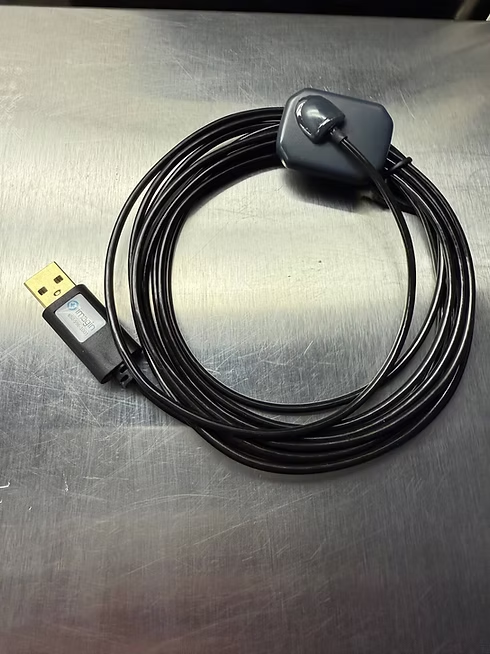
X-ray Sensor Not Working? Here's What Could Be the Cause.
As a dental professional, you know that x-ray sensors are crucial for accurate diagnosis and treatment. However, what if your X-ray sensor not working causes problems that disrupt your workflow. In this comprehensive guide, we’ll explore common x-ray sensor issues and provide practical troubleshooting steps to keep your dental practice running smoothly

1. Poor Image Quality
One of the most frequent complaints about x-ray sensors is deteriorating image quality. This can manifest as unclear, grainy, or distorted images.
Causes:
-
Dirty sensors
-
Incorrect exposure time
-
Software settings issues
-
Sensor wear and tear
Solutions:
-
Clean your sensor gently with isopropyl alcohol
-
Adjust exposure time according to manufacturer recommendations
-
Review and update software settings
-
Check for physical damage to the sensor
2. Connection Problems
If your sensor isn’t being recognized or is intermittently failing, you may have a connection issue.
Causes:
-
Loose USB connections
-
Faulty cables
-
USB port problems
Solutions:
-
Ensure all cables are firmly connected
-
Try different USB ports on your computer
-
Use a powered USB hub if necessary
-
Replace cables if they show signs of wear
3. Software Compatibility
Outdated or incompatible software can lead to various sensor problems.
Causes:
-
Outdated imaging software
-
Operating system incompatibility
-
Driver issues
Solutions:
-
Update your imaging software to the latest version
-
Check for and install any available driver updates
-
Ensure your operating system is compatible with the sensor software
4. Exposure Errors
Incorrect exposure can result in under or overexposed images, making diagnosis difficult.
Causes:
-
Incorrect exposure time settings
-
Inconsistent exposure button operation
-
X-ray generator issues
Solutions:
-
Use manufacturer-recommended exposure settings
-
Ensure the exposure button is held down for the full duration
-
Consider upgrading from AC to DC x-ray generators for more consistent output
5. Positioning Errors
Improper sensor positioning can lead to cone cuts, elongation, or foreshortening of images.
Causes:
-
Rushing through the x-ray process
-
Inadequate patient bite
-
Misalignment of x-ray cone with aiming ring
Solutions:
-
Take your time when positioning the sensor
-
Watch the sensor position when the patient bites down
-
Carefully align the x-ray cone with the aiming ring
-
Implement regular technique reviews among staff
6. Physical Damage
X-ray sensors are durable but not indestructible. Physical damage can cause serious malfunctions.
Causes:
-
Dropping the sensor
-
Excessive biting force from patients
-
Crushing or stepping on the sensor
Solutions:

-
Handle sensors with care, similar to a smartphone
-
Use sensor holders to prevent patients from biting too hard
-
Train all staff on proper sensor handling and storage
X-ray Sensor Not Working? When to Seek Professional Help
If you’ve tried these troubleshooting steps and are still experiencing issues, it may be time to contact professional support. Look for symptoms such as:
-
Persistent white images or no images at all
-
Consistent misfiring or pre-triggering of the sensor
-
Software crashes when attempting to acquire images
-
Visible physical damage or delamination of the sensor
Remember, regular maintenance and proper handling can significantly extend the life of your x-ray sensors. By following these troubleshooting tips, you can minimize downtime, reduce replacement costs, and ensure high-quality diagnostic imaging for your patients.
Keep this guide handy in your dental office, and you’ll be well-equipped to handle most common x-ray sensor issues that come your way. Happy imaging!

The Hidden Costs of Replacing vs. X-Ray Sensor Repair & More: Why Repair Often Wins
In the fast-paced world of dental technology, the temptation to replace malfunctioning equipment with the latest models is strong. However, for digital X-ray sensors, 3D intraoral scanners, and intraoral cameras, repair often proves to be the smarter, more cost-effective choice. Let’s explore why repairing your dental imaging equipment can be the best decision for your practice.
The Financial Advantage of X-ray Sensor Repair
Cost Savings
Repairing dental imaging equipment typically costs a fraction of replacement:
-
Digital X-ray sensor repairs often range from $1,000 to $3,000
-
Intraoral camera repairs can be as low as $500
-
3D scanner repairs usually fall between $2,000 to $5,000
Compare this to replacement costs:
-
New digital X-ray sensors: $5,000 to $15,000 per sensor
-
New intraoral cameras: $1,000 to $5,000
-
New 3D intraoral scanners: $15,000 to $35,000
Extended Equipment Lifespan
With proper maintenance and timely repairs, dental imaging equipment can last significantly longer:
-
Digital X-ray sensors: 5-7 years with repairs vs. 3-5 years without
-
Intraoral cameras: 7-10 years with repairs vs. 5-7 years without
-
3D scanners: 6-8 years with repairs vs. 4-6 years without
Minimizing Downtime
Repair often results in less downtime compared to replacement:
-
Many repairs can be completed within 24-48 hours
-
Some repair services offer loaner equipment during the repair process
-
Replacement often involves longer periods of installation and staff training
Environmental Benefits
Choosing repair over replacement supports sustainability:
-
Reduces electronic waste
-
Conserves resources used in manufacturing new equipment
-
Aligns with environmentally conscious practice management
When to Consider X-ray Sensor Repair

Repair is often the best choice when:
-
The equipment is less than 8 years old
-
The repair cost is less than 50% of replacement cost
-
The issue is a common, easily fixable problem (e.g., cable damage, software glitches)
-
The equipment still meets your practice’s needs in terms of image quality and functionality
Making an Informed Decision
To determine if repair is right for you, consider:
-
Age and condition of current equipment
-
Frequency of breakdowns
-
Availability of replacement parts
-
Cost of repair vs. replacement
-
Potential for improved patient care with existing technology
The X-ray Sensor Repair Process
-
Diagnosis: Expert technicians identify the issue
-
Quote: Receive a detailed repair estimate
-
Repair: Skilled professionals fix the problem
-
Testing: Rigorous quality checks ensure proper functionality
-
Return: Equipment is shipped back, often with a repair warranty
By choosing repair, dental practices can often save money, reduce downtime, and extend the life of their valuable imaging equipment. At Imaginrepair.com, we specialize in cost-effective, high-quality repairs for digital X-ray sensors, 3D intraoral scanners, and intraoral cameras. Contact us today to learn how we can help you maximize your investment in dental imaging technology.
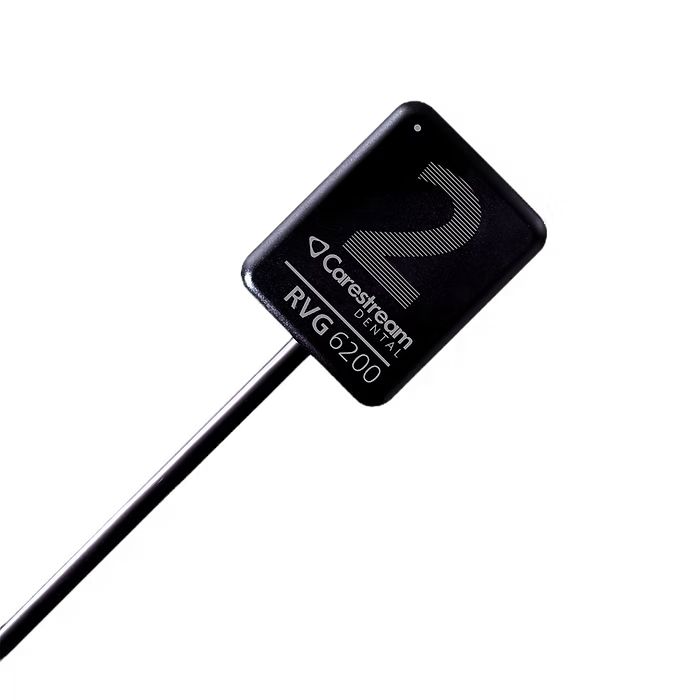
Dental X-Ray Sensors: Dexis Titanium vs. Carestream RVG6200
When it comes to digital dental imaging, two popular sensor brands stand out: Dexis Titanium and Carestream RVG6200. Both offer high-quality imaging solutions for dental practices, but how do they compare? Let’s dive into the key features and differences between these two leading dental x-ray sensors.

Image Quality
The Dexis Titanium sensor is known for its exceptional image clarity, providing dentists with highly detailed x-rays for accurate diagnoses. It utilizes advanced CMOS technology to deliver sharp, high-resolution images.
On the other hand, the Carestream RVG6200 boasts a theoretical resolution of 24 lp/mm, ensuring crisp and clear images that aid in detecting even the smallest dental issues.
Ergonomics and Patient Comfort
Dexis Titanium sensors are designed with patient comfort in mind. Their sleek, rounded edges make positioning easier and more comfortable for patients during x-ray procedures.
The Carestream RVG6200 also prioritizes patient comfort with its thin profile and rounded corners. It uses Rinn-style positioners, which are widely recognized for their accuracy and ease of use.
Durability and Longevity
Both sensors are built to withstand the rigors of daily use in a busy dental practice. However, like all electronic devices, they may eventually experience wear and tear or technical issues.

Key Differences Between Dexis Titanium & RVG6200
-
Thickness: The Dexis Titanium sensor is slightly thinner, potentially offering better patient comfort.
-
Software Integration: Dexis Titanium seamlessly integrates with Dexis imaging software, while the RVG6200 works well with various practice management systems.
-
Warranty: Warranty terms may differ between the two brands, so it’s essential to check the specifics when making a purchase decision.
Sensor Maintenance and Repair for Dexis Titanium
Despite their robust construction, both Dexis Titanium and Carestream RVG6200 sensors can experience issues over time. Common problems include cable damage, connection issues, or internal component failures. When these issues arise, it’s crucial to have a reliable repair service to minimize downtime and costs.
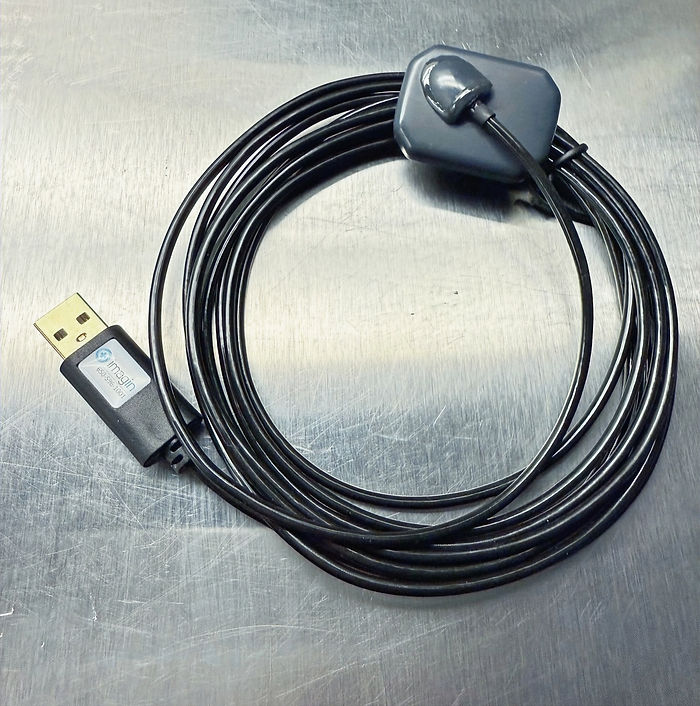
At Imagin Systems, we specialize in repairing a wide range of dental x-ray sensors, including both Dexis and Carestream models. Our experienced technicians can diagnose and fix various sensor problems, often at a fraction of the cost of replacement5.
Whether you’re using Dexis Titanium, Carestream RVG6200, or any other digital x-ray sensor brand, regular maintenance and prompt repairs are essential for ensuring long-term performance and reliability in your dental practice.
In conclusion, both Dexis Titanium and Carestream RVG6200 offer excellent imaging capabilities for dental professionals. The choice between them often comes down to personal preference, existing software compatibility, and specific practice needs. Regardless of your choice, remember that professional repair services can significantly extend the life of your investment in digital x-ray technology.